Choosing the right FRP bypass and Android servicing tool is not always about finding the tool with the longest feature list. For repair technicians, the better choice usually depends on the phones that come across the workbench, the chipsets those devices use, and how much the tool costs to keep active.
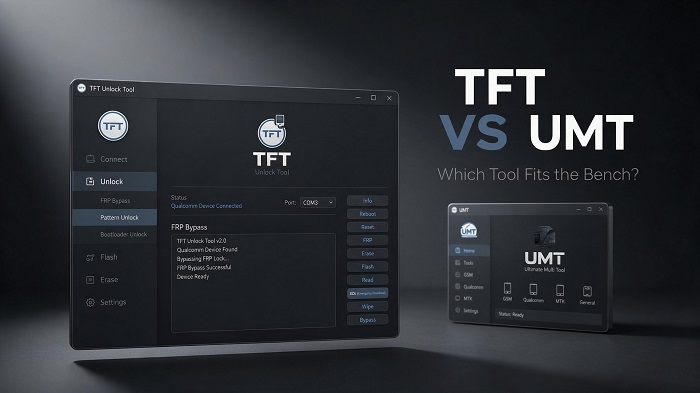
TFT Unlock Tool and UMT (Ultimate Multi Tool) are both well-known options for Android servicing, but they take different approaches. TFT Unlock Tool has a strong focus on Qualcomm devices and EDL-based workflows, while UMT is designed around broader multi-brand and multi-chipset coverage.
So which one is better? The answer depends on your repair workflow. If most of your work involves Qualcomm-based devices and you want a focused, straightforward tool, TFT Unlock Tool can be the more practical choice. If you regularly work across several chipsets, UMT may provide broader coverage from one platform.
What Is FRP Bypass?
Factory Reset Protection, commonly known as FRP, is an Android security feature designed to prevent unauthorized use of a device after a factory reset. The phone can require the Google account previously associated with the device before setup can be completed.
FRP is useful for protecting lost or stolen devices, but legitimate owners and repair technicians can also encounter it during device servicing, ownership transfers, or forgotten-account situations.
Important: FRP-related servicing should only be performed on devices you own or are explicitly authorized to repair. Never use bypass tools to access unauthorized or stolen devices.
TFT Unlock Tool vs UMT: Quick Comparison
The biggest difference between TFT Unlock Tool and UMT is their overall focus. TFT is particularly attractive to technicians whose daily work is concentrated around Qualcomm devices, while UMT aims to provide wider chipset and brand coverage.
| Category | TFT Unlock Tool | UMT |
|---|---|---|
| Device Focus | Strong Qualcomm and EDL focus | Broader multi-brand and multi-chipset coverage |
| Pricing | Lower-cost / one-time or low-renewal credit model | Subscription or credit-based model |
| Updates | Frequent Qualcomm-focused updates | Regular updates across a wider device catalog |
| Ease of Use | Simple technician-focused workflow | More feature-dense and broader in scope |
| Best For | Qualcomm repairs and budget-conscious technicians | Multi-brand shops needing broader chipset support |
Device and Chipset Support
Device support is one of the most important factors when choosing an Android servicing tool. A tool can have an impressive feature list, but that does not help much if it does not support the devices you regularly receive.
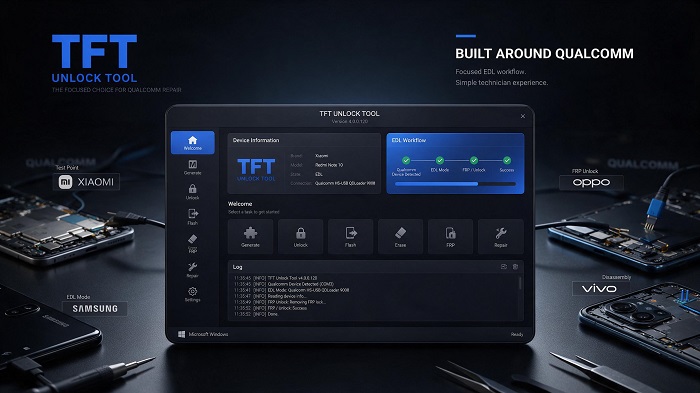
TFT Unlock Tool is particularly focused on Qualcomm-based devices and EDL workflows. This makes it useful for technicians who frequently work with Qualcomm-powered Xiaomi, Samsung Qualcomm variants, OPPO, Vivo, and other supported devices.
UMT takes a broader approach. Depending on the specific module and supported version, it can cover Qualcomm, MediaTek, Spreadtrum/Unisoc, and other platforms across a wider range of brands.
Why Qualcomm Support Matters
Qualcomm devices can require specialized servicing workflows, particularly when a phone needs to be detected through Emergency Download Mode or requires low-level servicing.
For a repair shop that regularly handles Qualcomm devices, having a tool designed around this workflow can be more useful than paying for a much broader feature set that is rarely needed.
Pricing and Long-Term Value
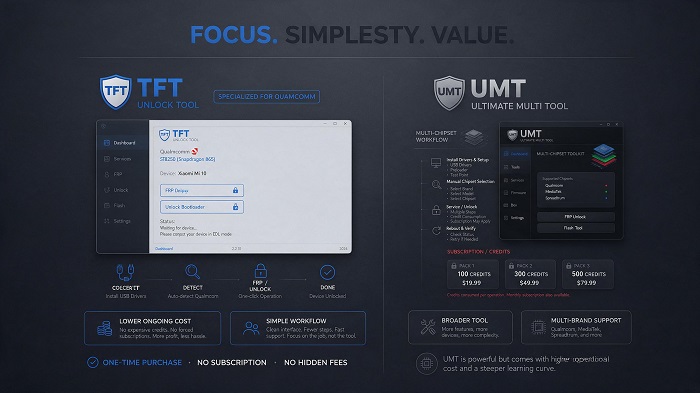
Cost is another major difference between the two tools. The initial price is only part of the calculation. Technicians should also consider credits, renewals, subscriptions, and how frequently they will actually use the supported functions.
TFT Unlock Tool can be attractive to technicians looking for a lower-cost servicing solution, particularly when their workload is heavily concentrated on supported Qualcomm devices.
UMT can make more sense for a shop that needs broader chipset coverage and is willing to maintain recurring access or purchase credits for a larger range of operations.
Think About Your Actual Repair Bench
Instead of asking which tool has more features, ask which tool handles the phones you actually repair.
- How many Qualcomm devices do you service each month?
- Do you regularly need MediaTek or Unisoc support?
- Do you prefer a focused interface or a larger multi-function platform?
- Would recurring subscription costs affect your workflow?
These questions usually make the choice much clearer than comparing feature counts alone.
Updates and Ease of Use
Android servicing changes quickly. New device models, security updates, firmware revisions, and chipset changes can all affect whether a particular operation works.
TFT Unlock Tool takes a focused approach to updates, with particular attention to Qualcomm-related servicing and firmware workflows. This can be useful for technicians whose primary workload is built around those devices.
UMT has a wider catalog to maintain because its goal is broader chipset and brand coverage. That wider scope can be valuable for multi-brand shops, although it can also make the overall platform feel more feature-dense.
Which Interface Is Easier?
TFT Unlock Tool is generally easier to approach when your work is concentrated around the functions and chipsets it targets. The workflow is straightforward: connect the supported device, detect the appropriate mode, select the required operation, and follow the prompts.
UMT provides more functionality across different platforms, which can be useful for experienced technicians but may require more time to learn if you only need a small set of servicing operations.
Which Tool Should You Choose?
There is no universal winner. The right choice depends on the type of work your repair shop performs most often.
Choose TFT Unlock Tool If:
- Most of your work involves Qualcomm-based Android devices.
- You frequently use Qualcomm EDL-based workflows.
- You prefer a simpler technician-focused interface.
- You want to keep ongoing servicing costs under control.
- You do not need extensive support for every Android chipset.
Choose UMT If:
- You regularly repair devices using different chipsets.
- Your shop handles a broad range of brands.
- You need one platform covering more than Qualcomm workflows.
- You are comfortable with a larger and more feature-dense tool.
- Recurring subscription or credit costs fit your business model.
Consider Both for a High-Volume Repair Shop
Larger repair operations do not necessarily have to choose only one. A technician who handles a high volume of different devices may find value in keeping both tools available.
TFT can serve as the focused option for Qualcomm and EDL work, while UMT can provide additional coverage when a device falls outside that workflow.
Looking for a Focused Qualcomm Servicing Tool?
If Qualcomm devices make up a large part of your repair workload, explore TFT Unlock Tool and its supported servicing features.
Download TFT Unlock ToolFinal Verdict
TFT Unlock Tool and UMT are designed around different priorities. UMT's main advantage is broader multi-chipset and multi-brand coverage, making it appealing to general repair shops that need one platform for many types of Android devices.
TFT Unlock Tool takes a more focused approach, particularly around Qualcomm and EDL-based servicing. For technicians whose daily work is dominated by Qualcomm devices, that focus can translate into a simpler workflow and better practical value.
Ultimately, the best FRP bypass and servicing tool is the one that matches your repair bench. If Qualcomm devices are your main workload and you want a focused, straightforward solution, TFT Unlock Tool is a strong choice.